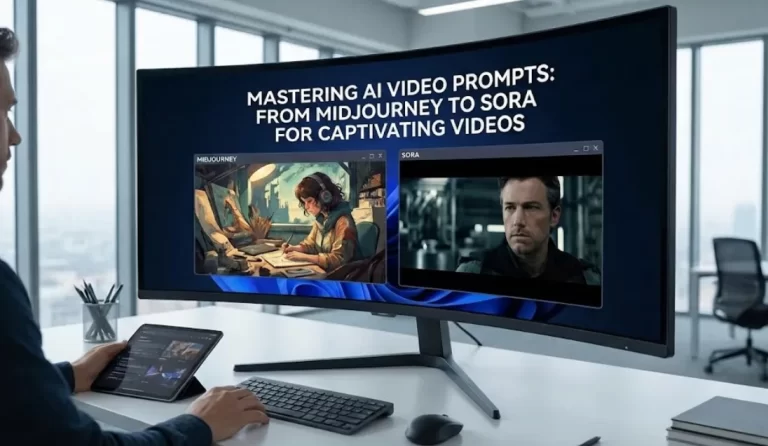



In today’s content creation scene, getting a handle on an AI video prompt can really change how you put together YouTube Shorts that grab attention and spread quickly. This piece breaks down the “Viral Formula,” handing over 10 prompts you can copy and paste right into your workflow for short-form videos. Whether this is your first dive into AI tools or you’re tweaking what you already do, figuring out how to build these instructions properly can lead to content that clicks with people and plays nice with the platform’s setup.
AI plays a big role now in making videos, letting folks turn basic ideas into full visuals without much hassle. Think of an AI video prompt as a clear set of directions that tells the tool what to build, from scenes to effects and stories. When you nail the details, you end up with AI videos that entertain and get shared around. Pulling from real work with different AI models, this guide lays out steps, samples, and tips to strengthen your spot on YouTube.
Breaking Down What Goes into a Solid AI Video Prompt for Shorts
To make an AI video prompt work well for those quick YouTube Shorts, you need to grasp the basics. These prompts steer the AI toward video content that suits the snappy style of Shorts, usually keeping things under 60 seconds.
The Essential Parts of Prompt Structure
A good prompt structure covers things like the main subject, the action happening, the visual style, and some technical parameters. For example, setting the aspect ratio helps match the output to how people watch on phones, which is huge for Shorts. Adding in camera movement details, like a gentle pan or a quick zoom, brings energy to the clip without making it too busy.
How Mood and Atmosphere Drive Viewer Interest
The mood and atmosphere you set can keep viewers hooked. When your prompts call out specifics like golden hour lighting or a tense vibe, it stirs up feelings that make the content easier to share. This ties into solid content strategies that focus on emotional pulls to lift engagement rates.
Bringing in Character and Expression for Relatability
Don’t overlook character and expression in your prompts. Describing how a figure looks or acts—like a wide smile or a puzzled frown—makes the video feel more real and connects better with watchers.
A Detailed Step-by-Step Tutorial on Crafting AI Video Prompts
Putting together an AI video prompt takes a straightforward method to keep things clear and on point. Here’s how to go about it for results that aim at viral videos.
Step 1: Pin Down Your Goal and Who You’re Reaching
Begin with what you want the video content to achieve. Think about your channel niche and how this Short lines up with YouTube algorithm factors, like picking topics that spark a lot of interaction.
Step 2: Layer in Visuals and Tech Specs
Throw in details on visual style, color scheme, and shot type. You might ask for a cinematic scene with precise camera direction to manage motion, giving it that polished look.
Step 3: Weave in Audio Elements and Sync Them Up
Add notes for sound effects, music synchronization, or even native audio generation. This way, the sound backs up the visuals, making the whole thing more appealing.
Step 4: Run Tests and Fine-Tune for Algorithm Fit
Create a version, check it out, and tweak as needed. Keep an eye on YouTube Shorts algorithm aspects, like using pattern interrupts right at the start to push up the views count.
If you’re just starting, basic prompt video examples give you a solid base. Something like InVideo AI makes this easier with ready-made templates that deal with tricky parts on their own.
Step 5: Check for Ethical and Quality Standards
Always run through your prompts to make sure they follow guidelines for AI-generated content. This builds trust and shows you’re handling things responsibly, which matters for long-term authority.
Leading AI Video Generator Tools to Power Up Your Process
Picking the right AI video tools can smooth out how you work and bump up the quality of what you produce.
Spotlight on Cutting-Edge Models Like Runway Gen-4.5 and Veo 3.1
Runway Gen-4.5 stands out as a top-rated model for its visual sharpness and control, perfect for cinematic videos. On the other side, Google Veo 3.1, integrated into Gemini, handles high-quality clips up to eight seconds, with strong camera control and ways to reference video inputs for better motion control.
Everyday Tools That Suit Content Creators
HeyGen offers a straightforward way to turn text, images, or audio into complete videos, including narration and animations. Synthesia focuses on business and storytelling, making it great for product showcases or educational bits.
Emerging Options Like Kling AI and Pika
Kling AI 2.0 brings advanced features for realistic outputs, while Pika 2.2 excels in quick generations for social media. These AI-powered tools support animation techniques and even bodycam footage styles, fitting a range of needs.
Tools like Perplexity AI can help brainstorm keyword ideas or uncover prompt secrets to sharpen your inputs further.
Key Best Practices for AI Prompt Engineering in Video Work
Good prompt engineering means finding that sweet spot between enough details and room for the AI to flex.
Mastering Camera Shots and Movements
Call out specific camera shots, such as a wide view or a camera circle, to help the AI model craft engaging experiences. This works well for cinematic scenes that do great on the feed algorithm.
Aiming for That Viral Edge
Zero in on what makes viral videos tick, like using visual aids and strong stories. Steer clear of slip-ups by sticking to best practices, especially with algorithm updates that push for fresh, original stuff.
Handling Ethical Sides and Keeping Standards High
Make sure your prompts align with rules around AI-generated content to foster trust. Citing sources and being clear about AI use helps establish authority.
From what I’ve seen in practice, these steps have boosted shorts monetization for many creators through stronger engagement.
Exploring Multimodal Prompts for Richer Outputs
With advances in 2025, multimodal AI lets you mix text with images, audio, or video in prompts. This opens up ways to turn stills into animated scenes or sync music more naturally, adding depth to your Shorts.
Hands-On AI Video Prompt Examples for Newcomers
Seeing examples in action helps bridge the gap for beginners.
Simple Starters for Fast Tests
Give this a go: “Put together a 10-second clip of a curious fox in a forest at dusk, with golden hour lighting, subtle sound effects, and fluid camera movement.”
More Advanced Ones with Tech Details
Try something like: “Build a 15-second guide on plant care, in a realistic visual style, 9:16 aspect ratio, featuring close-up camera shots and a calm voiceover.”
These kinds of prompt examples show how to mix creativity with clear structure.
Prompts Tailored for Brand Videos and Customer Queries
For business angles, prompts can address customer questions directly, like demos that explain features in short clips.
The Viral Formula: 10 Ready-to-Copy AI Prompts for Your Shorts
Jump into these 10 prompts, built for quick use and easy tweaks in your creation routine.
- “Craft a 15-second uplifting sequence with rolling hills at sunrise, golden hour lighting, motivational text appearing gradually, and synced inspiring music.”
- “Put out a fun 10-second Short of a bird learning to fly, in an animated visual style, with playful sound effects and dynamic camera movements.”
- “Make a 20-second how-to on quick snacks, showing steps clearly, in a bright kitchen, with text overlays for instructions.”
- “Develop a challenge video: 12 seconds of fun exercises to current tunes, vibrant animations, prompting people to join in.”
- “Create an intriguing 18-second adventure in a misty cave, dim atmosphere, mysterious sounds, wrapping with a teaser question.”
- “Assemble a tip segment: 15 seconds on organizing spaces, real-life visuals, straightforward narration, easy transitions.”
- “Form a destination spot: 10 seconds highlighting ancient ruins, warm color scheme, soothing ambient audio.”
- “Build a lighthearted sketch: 20 seconds of pet antics, fun faces, timing with effects for laughs.”
- “Design an info bite: 12 seconds on tech gadgets, simple graphics, informative talk.”
- “Create a craft showcase: 15 seconds speeding through sculpture making, artistic style, upbeat rhythm.”
These work across niches, from brand videos to landing page teasers.
Growth Tactics Using AI for YouTube Success
Put AI to work in your overall content strategies.
Matching Up with the Latest Shorts Algorithm
To fit the shorts algorithm in 2025, which now counts every play as a view and focuses on retention, add early hooks that keep people watching.
Sparking More Viewer Involvement
Get the comments section buzzing by using prompts that ask customer questions or seek opinions.
Structuring Content for Better Visibility
Organize with playlists and come up with thumbnail concepts, plus end screen layouts to guide actions.
For tools that help on mobile, see our take on Lensgo AI review, covering optimized editing for creators moving around.
Keeping Up with Algorithm Shifts
Recent updates test Shorts with small groups first, then scale if they click. Stay on trends and rethink calls to action to match viewer habits.
Tackling Typical Hurdles in AI Video Making
Fix problems like uneven results by sharpening your prompt structure with notes on character and expression.
Navigating Changes in the Algorithm
Keep current with YouTube algorithm tweaks to adjust your tactics on the fly.
Maintaining Realness in Content
Be upfront about AI involvement when it fits, following EEAT ideas through honest methods.
Using Remix Chains for Fresh Takes
Some tools now support remix chains, letting you build on existing clips for new variations, which can spark creative ideas.
Wrapping Up: Take Your AI Video Game to the Next Level
Getting good with AI video prompts gives you a real boost in making YouTube Shorts that pull in crowds. With the walkthroughs, tools, and prompts here, you’ve got what you need to try things out and improve. Dive in with these ideas, and you’ll likely notice your content gaining traction through smart, AI-backed efforts.