

The short answer is: it depends on the type of animal you are training for drawing exercises. For anatomy and gesture reps, only your best pickers that actually display real reference photos should be considered. For creature design and pieces in the portfolio, you should use a part builder of some sort which can roll a body, head, tail and coat separately. The best free solution (Best Animal Generator) is one that integrates both, and will function in a web browser without sign-up and allow you to download your creations.
Diverse as animals are, more than a million have been formally described and the IUCN Red List has evaluated over 150,000 of those. Most working artists can probably name 20 or so. That is the reason that using a random animal generator is better than sitting in front of a blank sheet of paper – it gives you a topic that you never wanted to write about, but which is still a worthwhile topic for practice!
I have tried these tools the way that you would try an art tutor would and not the way that a listicle would. The following is a comparison, reasoning for the selection, and a viable process to run next morning.
What a random animal prompt generator really does for your skill curve
A generator is NOT a substitute for drawing. It eliminates one particular obstacle – decision fatigue. The decision on what to draw consumes as much space in the mind as does observation, and artists stalls before the pencil starts to move. Let them pass off to the randomiser and the session begins in seconds!
The second benefit is not so clear. When left to ourselves, we recreate the shapes we are familiar with, such as cats, wolves, horses. Randomization brings in the unknown, for example overlapping scales on a pangolin, the leg joints of a heron or the segmented thorax of an insect. Learning takes place outside the familiar realm of structures.
Two categories, two very different jobs
There are two families of most of the tools, and it’s the most frequent error I see:
- Single-species pickers return one real creature, usually with a photo and a fact. Best for anatomy study, wildlife illustration, scientific and biodiversity drawing prompts, and speedpainting drills.
- Hybrid part builders roll separate slots — base, head, ears, eyes, nose, legs, feet, tail, coat, colour, extra trait — so you assemble one imaginary animal. Best for concept art, character design, TTRPG monsters and D&D homebrew, and portfolio work.
The second style was popularised by the viral Tuimiz format and dozens of clones have imitated its eleven-slot design. Both are necessary for a serious practice stack.
How these tools were assessed
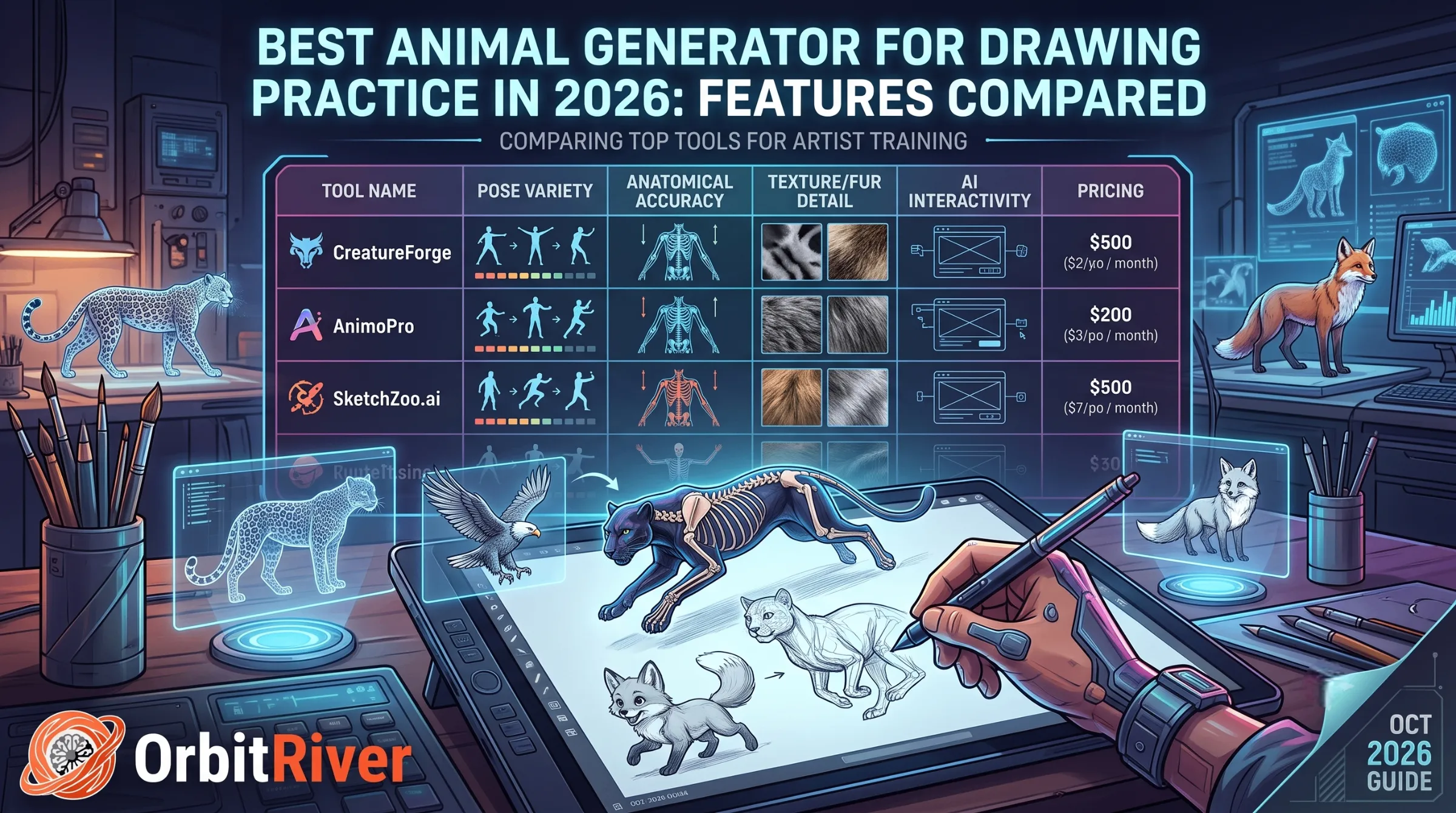
You need to understand the criteria to use the comparison pages. Each of the tools has been evaluated across 6 criteria: 1) really free, 2) requires sign up, 3) provides visual reference or just text, 4) allows hybrid creature design, 5) offers downloadable results, and 6) is app-less and runs on a phone or iPad. Speaking of time, it takes too long to load a generator, and it will not last a day’s worth of use.
Best random animal generators for drawing practice, compared
| Tool | Type | Reference images | Hybrid parts | Signup | Download | Best suited to |
|---|---|---|---|---|---|---|
| Orbit River WildPick | Species picker + AI art | Real photos, emoji, AI images | Via prompt export | None | One-tap PNG | Daily practice, classrooms, mixed use |
| Tuimiz-format builders | Hybrid part roller | Mostly text labels | Yes, 11 slots | Varies | Rarely | Creature design, D&D concepts |
| Adobe Firefly | AI image generator | Generated only | Prompt-driven | Required | Yes | Style, lighting and mood studies |
| Prompt libraries | Text prompt sets | None | No | None | No | Scenario and story-driven sketching |
| Wheel spinners | Editable list picker | None | No | None | No | Classroom games, quick warmups |
Our own random animal generator sits in the first row because it deliberately merges the categories that competitors keep separate: real species photography for anatomy accuracy, a real-time AI mode for stylised reference, verified facts drawn from the kind of data published by bodies like the Smithsonian’s National Zoo, and a download button that is not gated behind credits. It draws from more than 120 creatures across mammals, birds, reptiles, amphibians, fish, sea life and insects.
When a paid AI tool is worth it
Talk honestly about the deal. For final artwork where the quality of style, lighting, camera angle and texture is important, Firefly and other sites can offer you some control over these elements. Also, they are not free and need an account. A free browser addon that opens in one second wins just for the behaviour of practice (repeated, low-stakes reps that build your skill). Under the orange “paid” button is the tool for the items to add to the portfolio.
A 20-minute daily drawing routine that actually sticks
I suggest the following for students as the structure, which can be used with any generator above.
- Generate three animals. Do not reroll because one looks hard. The hard one is the reason you are here.
- Two minutes each, gesture only. Silhouette and line of action. No detail.
- Eight minutes on one. Pick the animal that gave you the most trouble and rebuild it properly, watching where the joints actually sit.
- Six minutes to hybridise. Take the head of the first and the body of the third. This is where anatomy knowledge turns into design ability.
- Log it. A dated sketchbook page beats any streak app. Progress you can flip through is progress you believe.
This is a five days per week thing and the 90-day turnover isn’t subtle. Our fitness and step calculators do just the same as the habit tracker — small and measurable reps, visible over time, if you want to keep track of the habit along with your other reps.
Making the prompt sharper
A raw species name is not a brief. Add one or two or three modifiers on top of it: pose, a feeling, a light condition, a material. “Otter” is thin. This is an exercise! “Otter, low three quarters view, wet fur catching rim light, mid turn. These are the things that make difference between a usable image and mush when you’re using an AI art tool to feed into the model.
Frequently asked questions
Which is the better free animal generator for starters?
Single-species picker and real photos. Novelty isn’t as important to the beginner as accuracy and a hybrid without pictures provides nothing to observe. Stick to real animals and then slowly introduce mashups over about a month’s time.
May I use a generator for the D&D or TTRPG creature design?
Yes and that’s what the hybrid format is designed for. Roll 11 parts; throw away 2-3 that form an interesting silhouette. Not all slots have to be celebrated by a monster for it to feel ‘felt’.
Are these tools available on the iPad and Mobile?
With no app install, the browser-based generators do. That’s important for use case daily habit because the usability of opening a desktop application is generally the reason people lose the streak.
Is the results created in a copyright safe manner?
A species name or parts of species names generated by a random process are not subject matter of copyright. Your drawing is a product of your work. Licensing requirements are unique to platforms that use AI to create images; be sure to verify this before using commercially.
How do I fix art block specifically?
Reduce the size of the decision. Art block is rarely a lack of ideas; it is a surplus of them with no ranking. A randomizer collapses that to one option, and one option is actionable. Our learning resources cover this in more depth, including habit design for creative work.
Start your next session in the next sixty seconds
You do not need another tutorial. You need a subject, a timer, and a page. Open our free tool library — every utility on it runs in your browser with no account, no email capture, and no credit meter counting down while you sketch. Generate a creature, download the reference, and give yourself the twenty minutes.
If you teach, the same tool doubles as a lesson starter that holds a class’s attention better than a worksheet, and pairs neatly with the puppy weight calculator for younger animal-focused sessions. If you post your practice publicly, our fancy text generator handles the caption styling in the same breath.
We build these tools because paywalling a randomizer is absurd, and we keep improving them based on what people ask for. Missing a species set? Want a pose or timer option added? Tell us at business@orbitriver.com — feature requests from working artists have shaped most of what is already there.
Draw the weird one.