

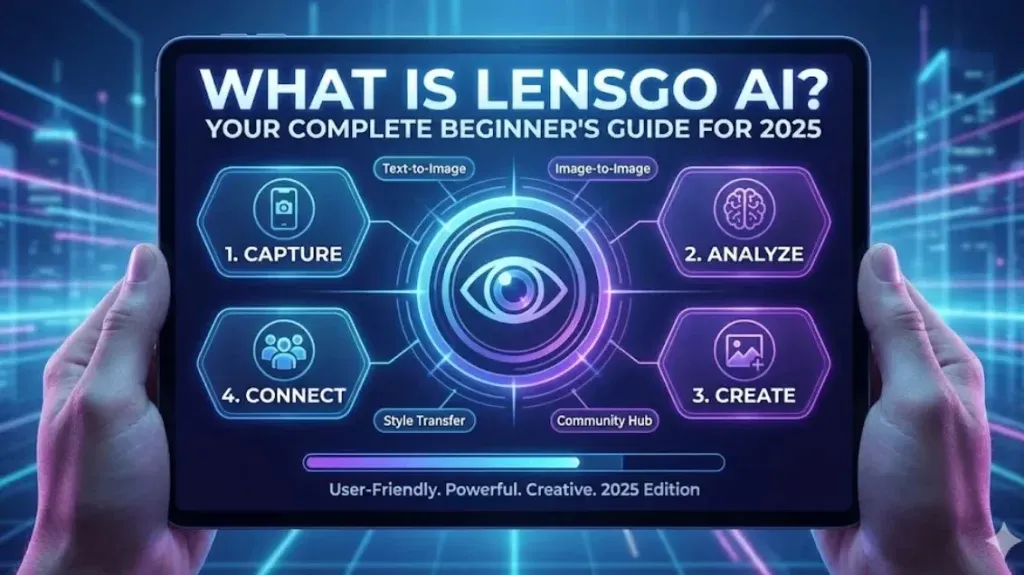
LensGo AI serves as a handy tool in the artificial intelligence space, especially for folks diving into image and video generation without much prior experience. This platform lets users create visuals from text prompts or tweak existing media into new styles, which appeals to a wide range of people from hobbyists to those in digital marketing. With generative AI advancing quickly, solutions like LensGo AI make it easier for anyone to produce content that looks polished.
Many users approach these tools to speed up their creative processes, whether putting together social media posts or brainstorming ideas for campaigns. Content creators often appreciate how it handles tasks that used to require specialized software. LensGo AI fits right into that by providing options for style transfer and animation, helping bridge the gap between ideas and finished products. Picture yourself needing quick visuals for a project; this kind of AI tool can turn descriptions into reality in ways that feel almost magical yet practical.
Getting to Know LensGo AI Better
LensGo AI acts as an AI-powered platform that focuses on turning text into images and videos, using deep learning models to interpret what users input. It builds on technologies similar to Stable Diffusion, allowing for creative outputs that include everything from realistic scenes to animated clips. The platform has gained attention for its browser-based setup, meaning no downloads are necessary, which keeps things straightforward.
This fits into the broader shift toward AI-driven creativity, where machine learning takes over repetitive parts of content production. Someone in digital marketing could use it for ad creatives, or an educator might generate educational visual materials to illustrate concepts. When you stack it against older methods, the difference shows in speed; what might have taken a full day now wraps up faster through simple prompts and adjustments.
Why It’s Popular Among Content Creators
Content creators turn to LensGo AI because it streamlines video generation and image generation, making visual content for social media campaigns more accessible. The integration of natural language processing means prompts translate into outputs that match intentions closely, supporting AI-powered content creation that anyone can pick up.
Breaking Down the Main Features of LensGo AI
LensGo AI packs in features that cover a lot of ground for creative work. At the heart is the text-to-video generator, which takes descriptive text and builds short videos with built-in animations. You can pick an aspect ratio to suit where the content will end up, like wider formats for YouTube or squares for social media visuals.
Style transfer plays a big role too, letting users apply different visual styles to photos or videos. Options range from Pixar style to Ghibli filter, changing everyday media into artistic pieces. Then there’s the image-to-video converter, which brings static images to life with movements and video effects for more engaging storytelling scenes.
On the customization side, prompt-based generation lets you tweak things with text guidance scale and negative prompts to get closer to what you envision. All this makes LensGo AI a solid video editing AI platform for quick revisions and experiments. As you think through these, consider how they might apply to your own needs, like whipping up product clips or marketing materials.
Diving into Custom Model Training
One feature that sets LensGo AI apart involves custom AI model training, where you upload your own images to create custom models. This helps maintain consistency in characters or styles across projects, using training data from user-uploaded images for better style stability.
Exploring Video Transformation Options
Video transformation covers remix video and video style transfer, allowing uploads of existing footage to apply new looks or effects. It’s useful for refreshing old content or experimenting with animation styles like 3D design.
How to Start Using LensGo AI as a Beginner
Jumping into LensGo AI doesn’t require much setup, which aligns with its aim as a beginner AI visual maker. Go to the main site and sign up with a Google account or basic details to access the dashboard. There, you’ll find sections for “Create Image” or “Create Video” ready to go.
Kick off with easy tests: Type in a prompt for a scene, choose an aspect ratio, and hit generate. Something like “a quiet forest path in autumn” can show you the basics. Build from there by adding reference images to steer the results more accurately.
Practicing like this helps you get comfortable, similar to learning any tool through trial and error. Look at community examples for ideas on applying it to blog posts or social media posts.
For ways to make TikTok content stand out, take a look at this guide.
Common Beginner Mistakes to Avoid
New users sometimes overlook prompt details, leading to off-target results. Start with clear descriptions and gradually add specifics to improve AI rendering and AI coloring in outputs.
LensGo AI Pricing Plans Explained
LensGo AI structures its pricing to fit various levels of use, beginning with a freemium subscription model. The free tier gives you around 50 to 100 points each day for basic trials in image animation or short videos, though it comes with watermarks and caps on features.
Moving to paid options, the Standard plan runs about $6 to $9 monthly, boosting points to 1000 or more and lifting some limits for HD images and longer clips. Pro and Mega plans go higher, from $29 to $60 per month, adding unlimited access, faster processing, and extras like private images.
Think about how often you’ll use it: For casual exploration in AI art, free works fine, but for regular content creation in the visual content industry, paid tiers offer more reliability.
Comparing Free and Paid Benefits
The free plan suits quick tests, but paid versions unlock quality consistency and remove restrictions, making them better for professional social media work or ad creatives.
A Step-by-Step Tutorial for Text-to-Video in LensGo AI
To create videos from text, begin by setting your goals. Head to the text-to-video area, select a model that matches your style—realistic for everyday scenes or animated for fun twists.
Put together a strong prompt with details on actions and atmosphere, like “a spaceship launching into starry space.” Set the duration and add camera movements, then generate the clip. Check it over and use the “Generate Again” option for tweaks if something’s off.
When doing video-to-video, upload your footage and follow similar steps for style changes. This back-and-forth builds your skills in generative AI.
For connections to other creative tools, see this piece on AI roleplay.
Advanced Prompt Techniques
Refine outputs by being specific in prompts, like including “high resolution” or using negative prompts to skip elements. This leads to better AI-generated images and AI-animated videos with improved style-transfer models.
Incorporating Image-to-Video Animation
Image-to-video animation starts with uploading a photo and adding motion prompts for photo-to-video transformations, creating dynamic clips from stills.
Checking If LensGo AI Is Safe to Use
Safety questions come up often with AI tools, and LensGo AI addresses them through features like safety filters that block inappropriate content and strong privacy protection for user data. User reviews point to its legitimacy, with adherence to standards such as SOC 2 for secure handling.
Keep in mind ownership rights: What you create is typically yours, but watch for copyrights in reference materials. No significant issues have surfaced in reports, which helps build confidence for private generations.
Looking at broader guidelines, it follows ethical practices common in the field, letting users focus on creation without worry.
Privacy and Data Handling Practices
The platform uses encryption and avoids storing sensitive info unnecessarily, aligning with industry norms for protecting user-uploaded images.
LensGo AI Pros and Cons Heading into 2025
LensGo AI has strong points, like its easy-to-navigate user interface that makes AI art accessible. It stands out for quick turnaround times, fitting well for fast-paced content production.
Cons include the free tier’s drawbacks, such as watermarked images that limit professional use. Sometimes, complex prompts lead to varying results in video style transfer, needing extra tries.
As 2025 rolls on, updates in diffusion-based machine learning models could smooth these out. Weigh the ups and downs based on what you need.
For thoughts on investing in AI learning, here’s an article.
User Feedback on Performance
From recent discussions, users note improvements in animation quality but suggest more options for custom AI models to handle specific needs better.
Potential Improvements for Future Updates
Looking ahead, enhancements in training models and integrations with tools like Adobe Creative Cloud could expand its reach.
Best Alternatives to LensGo AI Worth Considering
LensGo AI does a lot, but other tools might suit certain needs better. Krea.ai handles video restyling with deep customization for those wanting more control. Picsart AI Video Filter excels in photo-to-video animation, adding effects seamlessly.
Runway Gen-3 pushes boundaries in video animation tools, and Kling AI focuses on swapping elements in clips. Leonardo AI shines for AI rendering, while DALL-E 3 offers precise image creation.
Pick one that aligns with your focus: Media AI for Ghibli-inspired work, or Pika Labs for broad creative AI experiments.
How Alternatives Stack Up in Features
Unlike fuller suites like Adobe Creative Cloud, LensGo AI keeps entry simple, though competitors sometimes provide stronger video effects for advanced users.
Niche Alternatives for Specific Uses
For those into AI Coloring or specialized filters, options like Vidnoz cater to quick social media tweaks.
Free AI Video Generators That Compare to LensGo
Plenty of free options echo LensGo AI’s strengths. Reface specializes in fun face swaps for video edits, and Podcastle combines audio with visuals for content like podcasts.
These include text-to-video or image tools with usage limits, ideal for starting out. They act as entry points before committing to paid services.
To learn more about AI in workflows.
Real User Experiences with LensGo AI
Drawing from online shares, users praise LensGo AI for its style transfers in animations, as seen in tutorials where simple videos turn into engaging clips. One creator highlighted its facesynch feature for realistic performances, though it takes some tweaking. Others compare it favorably to tools like DomoAI for video-to-anime conversions, noting solid pricing similarities but occasional audio issues in downloads.
Wrapping It Up: Making LensGo AI Part of Your Toolkit
LensGo AI brings together artificial intelligence and everyday creativity, offering tools for image and video creation that suit beginners and pros alike. From features to safety and options beyond, this guide lays out the basics to get you going. What’s your first project idea? Putting it into practice is where the real value shows. Sign up for updates through our newsletter.