
People often dive into artificial intelligence tools like Perchance AI Roleplay to bring their stories to life through interactive chats. This platform makes it possible to build characters that feel real and respond in ways that fit your narrative. Drawing from various user experiences and guides available online, this piece walks you through the essentials. Perchance AI provides a free space where you can experiment without any sign-up hassles, which is part of what makes it appealing for writers, gamers, and hobbyists. Think about why you want to create an AI character: maybe for a solo adventure, practicing dialogue, or even fleshing out ideas for a bigger project. As we go along, consider how each step builds on the last to create something engaging.
Many folks start with Perchance because it combines simplicity with powerful features, like generating visuals alongside text-based interactions. Community-shared tips emphasize starting small and iterating, which helps avoid frustration early on. By the end of this, you should have a solid grasp on crafting your own setups.
Understanding the Basics of Perchance AI
Before jumping in, get a handle on what Perchance AI offers. It serves as an AI character generator that lets you define virtual beings for roleplay or storytelling. Users appreciate its no-cost model and the way it handles complex prompts without needing advanced tech skills. According to detailed guides, the platform uses randomized yet structured profiles based on your inputs, ensuring each character has cohesion.
Perchance AI focuses on text-driven chats but integrates image generation for added depth. This blend supports everything from casual conversations to intricate narratives. Always check the site’s privacy policy, as it prioritizes user control and avoids things like targeted advertising, building trust in how your data is managed.
Preparing to Build Your First AI Character
Think ahead about your character’s role. Will it be a hero in a fantasy world or a companion in a modern setting? Planning this out helps in using the AI character generator effectively. Resources suggest crafting concise prompts to get the best results, like specifying traits to avoid generic outputs.
Choosing the Right Tools and Features
Perchance includes sections for descriptions, thoughts, and scenarios. These are key for customization. For visuals, the built-in AI image generator uses text prompts to create matching images, similar to how Stable Diffusion works in other tools.
Step-by-Step Guide to Creating an AI Character in Perchance
Let’s break this down into manageable parts. Each step builds toward a functional character ready for interaction.
Step 1: Accessing the Perchance AI Interface
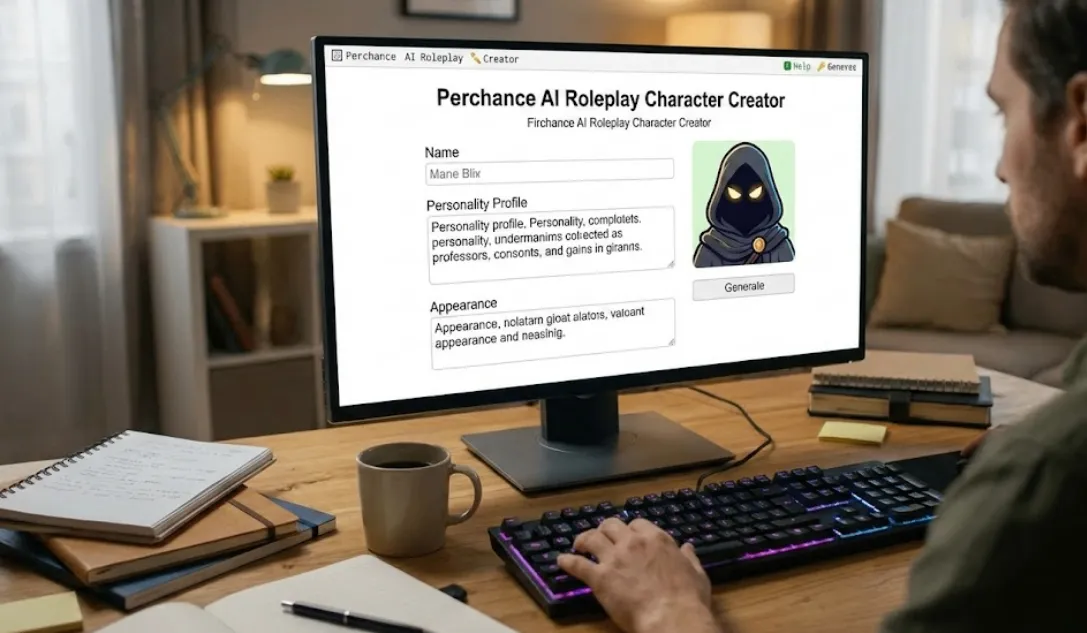
Go to the Perchance website and head to the AI chat section. The layout is straightforward, with fields for entering character details. This setup allows quick starts, ideal for testing ideas.
Step 2: Defining Your Character’s Core Elements
Start with basics like name and background. Use the description field to outline appearance, history, and motivations. Guides recommend including specific details, such as “a wise old wizard with a hidden past,” to sharpen the AI’s responses.
Step 3: Customizing the Personality for Perchance AI
Personality makes the difference. In the thoughts area, add directives like “speak in an archaic tone” to shape how the AI chats. This customization ensures the character stays true to your vision during AI chat sessions.
Advanced Personality Tweaks
For finer control, incorporate reminders that guide behavior over time. Users share that this helps in maintaining consistency, especially in longer roleplays.
Step 4: Setting Up the Initial Scenario
Describe the starting environment to give context. This could be “a bustling medieval tavern” or “a futuristic spaceship.” A well-set scenario invites natural progression in conversations.
Incorporating Visuals into Your Perchance Roleplay
Images bring characters to life visually. Perchance’s image generator responds to prompts you provide.
Adding Images to Perchance AI Characters
Enter descriptive text in the image fields, like “digital painting of a cyberpunk hacker.” This produces visuals that align with your character profiles.
Selecting Art Styles for Image Generation
Choose styles such as digital painting or realistic rendering to fit your theme. Tips from creators suggest using consistent cues for better outputs.
Integrating Lore with Visual Elements
Tie images to your character’s lore by referencing them in descriptions. This creates a more immersive experience.
Ensuring Conversation Continuity in Perchance AI
Maintaining flow in chats can be tricky since sessions aren’t saved automatically.
Using Reminder Messages Effectively
Summarize past events in new prompts to help the AI “remember.” This technique keeps the story on track.
Managing Group Chats
For scenarios with multiple characters, set up separate threads. Limit to a few participants for smoother interactions.
Beginner Tips for Effective Perchance AI Setup
If you’re new, ease in with templates. Avoid common mistakes like vague inputs, which lead to off-topic responses.
Avoiding Pitfalls in Character Creation
Be specific in prompts to guide the AI better. Community advice stresses testing small changes first.
Leveraging Text and Visual Prompts
Combine writing prompts with visual ones for balanced results. Draw from tools like Seaart AI for ideas on prompt crafting.
Exploring Pre-Built Options
Start with existing generators on Perchance to learn the ropes before full customization.
Real-World Examples of Perchance AI Roleplay
Examples help solidify concepts. Take a pirate adventure: Define traits, add lore, and generate images.
Basic Character Chat Scenarios
Try a simple merchant interaction to practice. This builds familiarity with the character chat feature.
Complex Interactive Storytelling Cases
For RPG game masters, create branching narratives. Incorporate elements from tools like Mythic GM Emulator for added depth.
Character Profiles in Action
Build a sci-fi android with logical responses. Test how inputs affect outputs in live chats.
Comparing Perchance to Similar Free AI Tools
Perchance excels in ease, but other tools offer unique features.
Alternatives for AI Content Generation
Consider Inspiration Pad Pro for story elements or Dave’s Mapper for world-building.
Tools Tailored for Game Developers
City Generator helps with environments, while fantasy name generators add details.
Visual and Text Creation Options
Platforms using Stable Diffusion provide advanced image generation, complementing Perchance.
Niche Generators Like Chaos Factor
These introduce randomness, great for unpredictable plots.
Other Character Generators
Explore options like Golgotha creator or Forbidden Lands Session Generator for specialized needs.
Advanced Strategies for Optimizing Perchance AI
Go beyond basics with training techniques. Iterate on responses to refine the AI’s style.
Training AI for Improved Chat Responses
Edit and rate interactions to shape better outcomes over time.
Handling Multi-Character Dynamics
Use mentions and controls to manage complex setups without confusion.
Incorporating External Inspirations
Draw from RPG resources to enhance your Perchance creations.
Troubleshooting Common Issues in Perchance AI
Sometimes things don’t go as planned. If responses wander, tighten prompts. For image issues, refine descriptions.
Dealing with Inconsistent Outputs
Reset with clear reminders. Users report this fixes most glitches.
Optimizing for Different Devices
Perchance works on mobile too, but desktop offers more space for editing.
Ethical Guidelines for AI Roleplay Creation
Create responsibly. Stick to positive, non-harmful content to align with platform standards.
Following Best Practices for Trust
Respect guidelines to ensure a safe space for all users.
Community Resources and Further Learning
Join forums like Reddit’s r/perchance for tips. Watch tutorials on YouTube for visual walkthroughs.
Engaging with the Perchance Community
Share your creations and get feedback to improve.
Conclusion: Bringing Your Perchance AI Characters to Life
Crafting a Perchance AI roleplay character involves creativity and practice. With these steps, you can develop engaging experiences tailored to your ideas. For more on similar tools, see our comparison in Perchance AI vs. Character.AI: Which Wins for Roleplay?. Check out Top 10 Best Perchance AI Roleplay Generators & Templates for Immersive Storytelling for ready-to-use options.
Expand your skills with AI Tools for Writers: Boosting Creativity and Productivity. Or explore Best Free AI Image Generators. These links provide natural extensions to your learning.